
For developers
 Easily see what issues to work on next
- Give product managers a better understanding of your work capacity, so you’re never overloaded
- Stay focused on what’s mission critical by filtering boards by sprints
Automated sprints
Zenhub simplifies and accelerates sprint planning with assisted automation based on your team’s historical sprint velocity.
Zenhub automates the most tedious aspects of sprint planning so you can focus on thoughtful backlog refinement, estimation, and prioritization.

Set a regularly occurring sprint schedule to enable your team to adopt agile processes effortlessly. Auto-populate new sprints with your teams prioritized backlog.
No more dragging and dropping unfinished issues from one sprint to the next manually – let them automatically roll over to the next sprint!
Enabling Zenhub to build sprints using your backlog allows new issues to automatically be added to the next sprint based on your team’s average velocity.
Get an AI-generated sprint review of all issues closed in a sprint. Use it as a sprint demo agenda, a high-level view of completed work, or a historical record of sprint success.
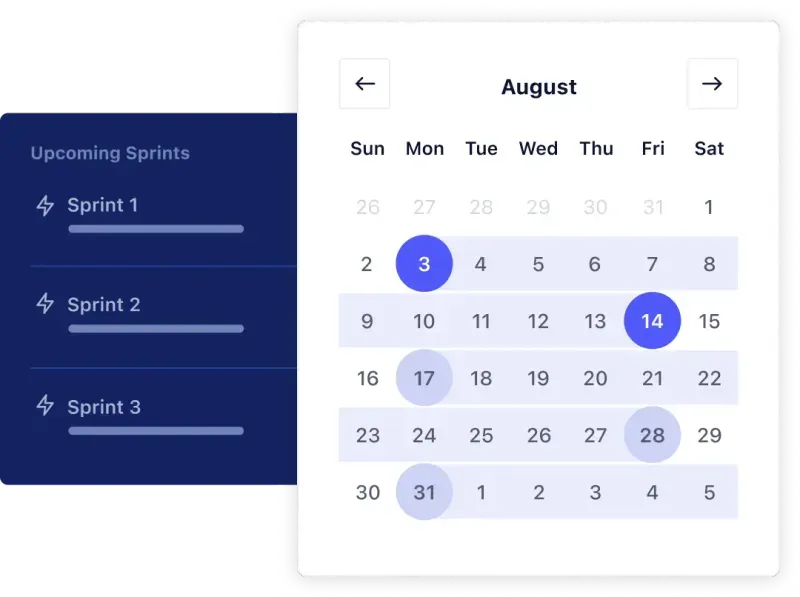

When a new issue is added to your product backlog, Zenhub will automatically predict which of your upcoming sprints it’s most likely to be included in—up to eight sprints ahead.
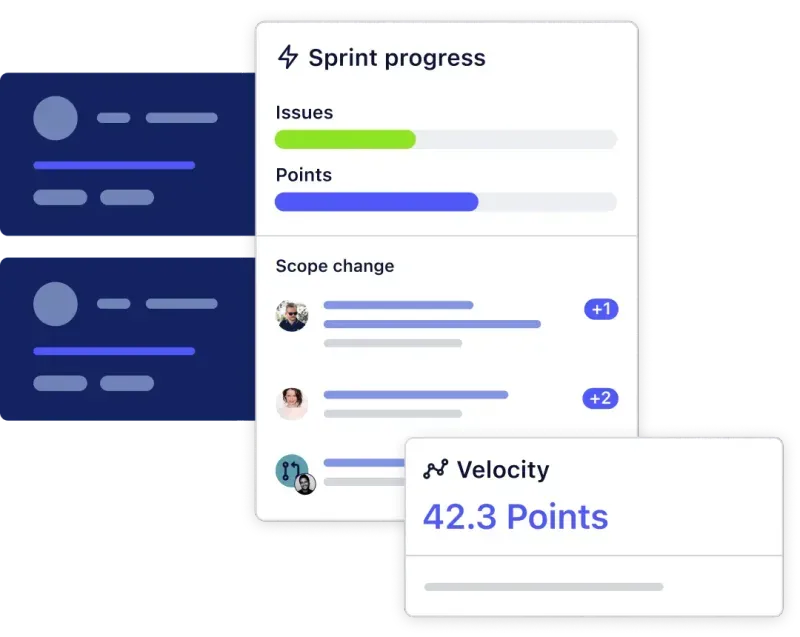
Better understand your team’s working cadence using Sprint Reports to get a breakdown of how many story points your team completes over the course of a sprint.
With Velocity Reports, you get a detailed view of your team’s average story point completion over multiple sprints for more accurate project end-date predictions and planning.
testimonials
“In the last sprint review, it was fascinating to discover that from sprint to sprint, we always achieved the same average of weighted points. A team of 3 to 4 people cleared around 50 to 60 points in a biweekly sprint. This has happened in the past year. It’s really great to see, and it's a lot of fun.”
Read the story
Sascha Haase
VP of Edge at Kubermatic
Why Zenhub
Easily see what issues to work on nextGive product managers a better understanding of your work capacity, so you’re never overloadedStay focused on what’s mission critical by filtering boards by sprints Easily implement agile processes without interfering with your team’s workflowSpend less time (or no time!) in sprint planning meetingsBetter understand your team’s capacity to create more realistic sprints
additional zenhub features





glossary
Sprints
Sprints, in agile project management, are defined periods of time in which a software team commits to an assigned group of issues to work on. Sprints are usually 2-4 weeks long.
Velocity
Velocity in agile project management measures a team’s work capacity in story points. Velocity is calculated by taking the total number of completed issues per sprint and finding the average across all sprints.
Story points
Story points in agile project management are a way of estimating the amount of effort a task will take relative to other issues the team is working on. Story points are not measured using time metrics.
Issues
“Issues” in agile project management are another word for smaller tasks or individual units of work. In Zenhub, issues best suited to developers are GitHub Issues and issues best suited to non-technical team members are Zenhub Issues.
Burndown chart
A burndown chart is a graph that displays how many story points your team completes over the course of a single sprint. The X-axis displays a range of dates, and the Y-axis displays increments of story points. Ideally, the graph should steadily fall as the sprint progresses.
Planning poker
Planning poker is a collaborative method of estimating story points. Team members are all called to estimate the number of story points for a single issue, and that number is then averaged out to give the most accurate estimate.
Need Help?
Yes! All of Zenhub’s features are completely accessible inside GitHub when you download Zenhub’s GitHub Extension.
If you click on the “+” button on the top right corner of Zenhub’s UI and click on “Modify recurring sprints,” you can set up recurring sprints. From there, you will be prompted to adjust sprints according to your team's needs. Learn more here.