
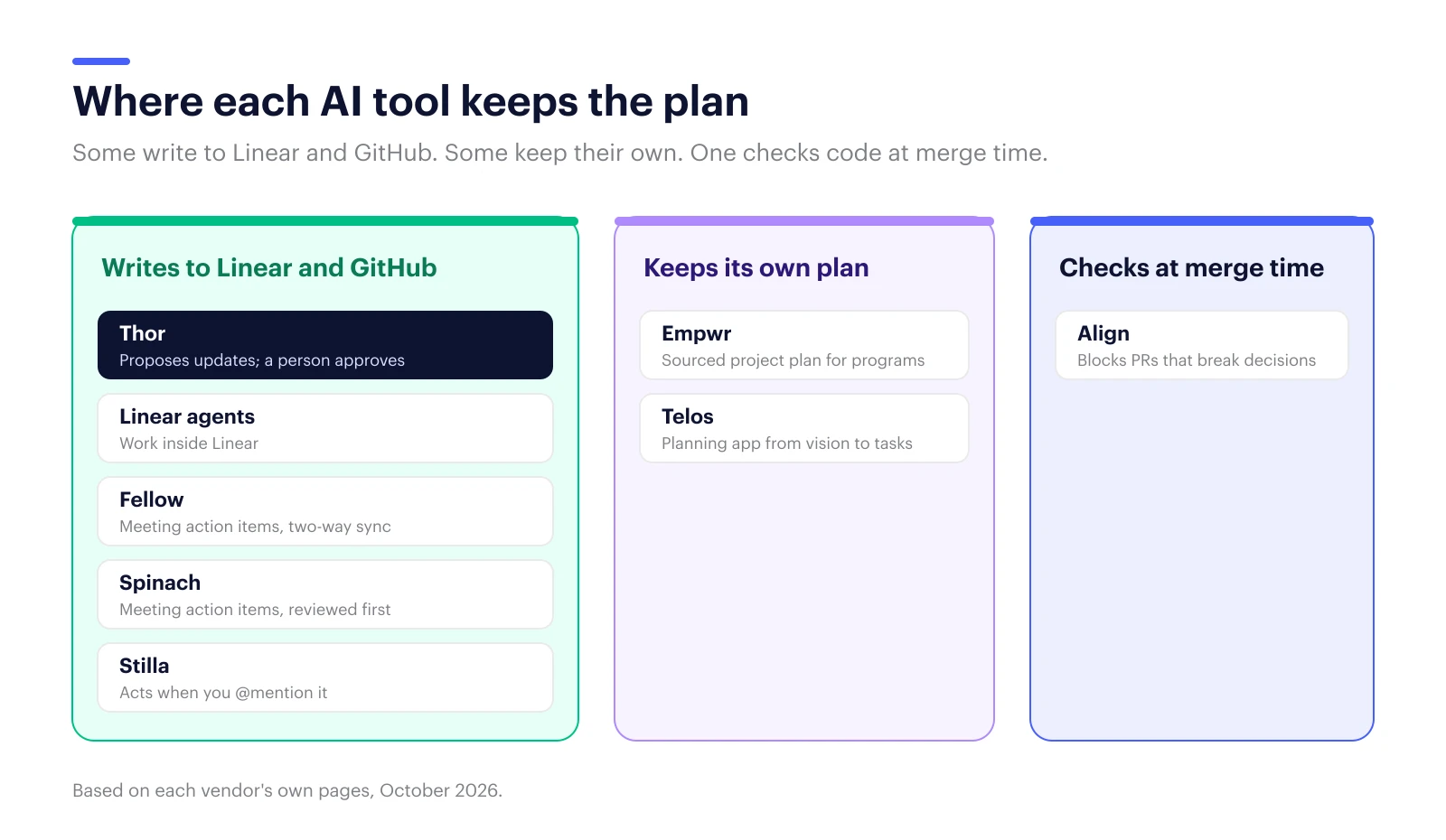
Short answer: Several AI tools keep Linear and GitHub issues up to date from what your team says in Slack and meetings. They do it in different ways. Thor works as an AI project manager inside the tools you already use and asks a person to approve each change. Meeting note-takers like Fellow and Spinach turn action items into Linear issues. Linear’s own agents work inside Linear. Empwr, Telos and Align keep their own plan or record next to your tracker.
Most teams already know the problem. The plan changed on Tuesday’s call, the Linear issue still says Monday’s version, and a coding agent just built from the old one.
So “an AI project manager that keeps Linear and GitHub current” is a reasonable thing to want. The tools that claim it don’t all do the same job, though. Some write to your tracker. Some keep a separate plan next to it. Some only enforce decisions at merge time. This guide sorts them by what they actually change, and where.
Full disclosure: we make Thor (and Zenhub). We’ve described every tool, ours included, by what it’s good at and where it stops, using each vendor’s own pages as of October 2026.
What should an AI project manager for Linear and GitHub do?
It should turn decisions from Slack, Teams and meetings into new or updated Linear and GitHub issues, with an owner and a link to where the decision was made. It should notice stalled work, keep tickets in step when plans change, and ask a person before it changes anything important.
Four questions separate the tools quickly:
- Does it write to Linear and GitHub, or keep its own plan? A tool that keeps its own plan is one more place to check.
- Where does it listen? Slack and Teams, meetings, or only inside the tracker.
- Who approves a change? Look for a review step before issues are created or edited.
- Can your coding agents read the same picture? Most now offer an MCP server for this.
The tools, compared
| Tool | Listens to | Writes to Linear / GitHub issues | Person approves changes | Starting price |
|---|---|---|---|---|
| Thor | Slack, Teams, meetings, GitHub, Linear | Yes, both | Yes, each change | Free (25 actions/mo); Team $199/mo |
| Linear agents | Linear | Linear (inside Linear) | You assign or delegate the work | Check Linear’s pricing |
| Fellow | Meetings | Linear (action items, two-way sync) | Not described | Free to start |
| Spinach | Meetings | Linear (new issues) | Yes, before creation | Free to start |
| Stilla | Slack, Teams, GitHub, Linear, meetings | When you @mention it | Tap to accept | $40/org/mo (up to 29 members) |
| Empwr | Meetings, Slack, tickets, docs | Builds its own project plan | Not described | Free; Team $19 to $24/member/mo |
| Telos | Agents, GitHub, Slack | Its own planning app | Approvals stay with people | Free; Team €10/user/mo |
| Align | Slack, Teams, Zoom, GitHub, Linear, Jira | Records decisions; checks pull requests | You confirm each decision | Free CLI; Growth $25/person/mo |
AI project managers that work in your tracker
Thor
Best for: software teams whose plan is spread across Slack, meetings, GitHub and Linear, especially teams running coding agents.
Thor is an AI project manager for software teams, from the team behind Zenhub. After a planning call, Thor drafts the Linear or GitHub issues that came out of it, with owners and a link back to the moment in the meeting. When a decision in Slack changes the plan, it proposes the ticket update. It follows up on stalled work and posts standups from real activity. Every change is a proposal with a source and an undo, and nothing becomes official until a person approves it. Coding agents read the same up-to-date picture through Thor’s MCP server and CLI, and Thor can hand a ready ticket to Claude Code or Cursor.
Where it stops: Thor doesn’t plan sprints or draw roadmaps, and it works with GitHub and Linear for tasks today, not Jira.
Linear’s own agents
Best for: teams that want AI inside Linear and nowhere else.
Linear describes its agents as “Artificial colleagues.” The Linear Agent triages issues, answers questions and creates follow-up work inside Linear. You can assign or delegate issues to third-party agents (Cursor, Codex, Devin and others), and the person stays the primary assignee.
Where it stops: Linear doesn’t describe its agents reading Slack threads or meetings to update issues. That needs another tool.
Meeting note-takers that create Linear issues
Fellow
Best for: teams whose decisions mostly happen in meetings.
Fellow syncs “both manually entered and AI generated meeting action items” into Linear issues, and status, assignee and due date stay in sync both ways.
Where it stops: it works from meetings. Decisions made in Slack, and updates to issues that didn’t start in a meeting, are outside it.
Spinach
Best for: teams that want a review step before meeting action items become issues.
Spinach joins Zoom, Google Meet, Teams and Webex calls, then “surfaces detected action items for review before creation,” so you can set the project, cycle and priority first.
Where it stops: Spinach describes creating issues, not keeping existing ones current.
AI teammates you @mention
Stilla
Best for: teams that want one assistant across Slack, Teams, GitHub and Linear that they ask for things.
Stilla is an AI teammate you @mention. Its meeting notes produce action items you accept with a tap, and it can work in Linear and GitHub when asked. The Team plan is $40 per organization per month for up to 29 members. Stilla has announced it is joining Meta.
Where it stops: it acts when asked. Keeping tickets current without someone asking is a different job.
Tools that keep their own plan or record
Empwr
Best for: program owners running cross-functional projects across several tools.
Empwr builds a project plan (status, risks, actions, decisions and follow-ups) from meetings, chat, tickets and documents, with each item linked to its source. It connects to Linear, GitHub, Jira, Asana and Monday.com and offers an MCP server.
Where it stops: the plan lives in Empwr. It’s built for multi-team programs rather than keeping a software team’s own Linear and GitHub issues as the source of truth.
Telos
Best for: product teams that want vision, objectives, evidence and tasks in one planning tool, with agents reading from it.
Telos calls itself “the shared truth layer for teams that ship with agents.” Agents read the plan, file work into it and report what shipped, and “approvals stay with people.” It integrates with GitHub, Slack, Teams, Cursor and Notion.
Where it stops: your planning moves into Telos. Its homepage doesn’t describe turning meetings into tickets.
Align
Best for: teams whose biggest risk is coding agents breaking past decisions.
Align keeps a “decision graph” from meetings, chat and tickets. Coding agents check it over MCP before they write code, and a GitHub pull-request check can block a merge that conflicts with a recorded decision. Someone confirms each decision before it’s recorded.
Where it stops: Align enforces decisions. It doesn’t turn them into owned tickets or keep the backlog current.
Which one should your team pick?
If decisions happen across Slack, meetings and code and you want Linear and GitHub kept current, use an AI project manager that writes to them with approval, like Thor. If almost everything is decided in meetings, a note-taker that syncs to Linear may be enough. If your main worry is agents breaking past decisions, add a merge-time check like Align.
- Decisions in Slack, meetings and code; tracker must stay the source of truth: Thor.
- Decisions almost all in meetings: Fellow or Spinach.
- Everything already lives in Linear: Linear’s agents.
- A cross-team program with a PMO: Empwr.
- You want a new planning tool from vision down to tasks: Telos.
- Agents keep building against decisions nobody wrote down: Align, alongside one of the above.
If your team plans in GitHub rather than Linear, Zenhub keeps boards, sprints and roadmaps next to the code. Our roundup of the best AI project management tools covers trackers with built-in AI.
FAQ
Can AI update Linear issues automatically from Slack?
Yes. Thor reads Slack and proposes updates to Linear and GitHub issues for a person to approve. Stilla can act in Linear when you @mention it in Slack. Linear’s own Slack integration creates issues from messages, and its agents work inside Linear.
How do I turn meeting notes into Linear issues?
Use a tool that reads meeting transcripts and creates issues: Thor, Fellow and Spinach all do this. Spinach and Thor show the issues for review before they’re created. Fellow keeps status, assignee and due date in sync both ways afterward.
Is there an AI project manager that works with GitHub and Linear?
Yes. Thor is an AI project manager for software teams that works in GitHub, Linear, Slack, Teams and meetings, and proposes each change for a person to approve. Stilla and Empwr also connect to both.
Should an AI project manager change tickets without asking?
For small, low-risk updates under rules your team sets, it can. For ownership, priority and dates, a person should approve. Tickets are what your team, and your coding agents, build from.
If your plan changes faster than your tickets do, Thor keeps Linear and GitHub in step with what your team decided. It won’t change anything without asking first.